
A simple, friendly walkthrough
If you’re getting ready to fly for the first time, or the first time in a while, the security screening process can seem a bit intimidating. But it’s actually simpler than it looks. Once you know what to expect, the whole experience becomes predictable, quick, and surprisingly easy.
Here’s a step-by-step look at what happens at security, so you can tackle that part of your trip feeling confident and prepared.
Step 1: Scan your boarding pass
Your security journey starts with a quick scan of your boarding pass. You can use:
- A printed boarding pass
- A mobile boarding pass on your phone
A screening officer will scan it with a mobile device or – at smaller airports – conduct a visual inspection.
Once your boarding pass has been checked, you’ll head towards the screening area.
Step 2: Get ready to load your items for X-ray
As you approach the conveyor belt, you’ll see a stack of grey bins. You’ll need to place all your personal items in these bins so they can be easily x-rayed. This includes:
- Your jacket and hat
- Your phone, keys, wallet, ear buds and anything else you may have in your pockets (place them in your carry-on and not loose in the bin)
- Your carry-on bag
If you’re not sure what needs to go in a bin, screening officers are there to help. You can also check out our “What Do I Put in the Bins?” guide before you travel.
At regular screening lines, you will also need to remove:
- Your 1 L liquid bag
- Large electronics like laptops
- Medical devices like a CPAP machine
At lines equipped with CT X-ray technology, you can usually leave everything in your bag. If there is no sign indicating that the line has CT technology, you can ask the screening officer which type of line you’re in.
Once your items are in the bins, gently push them onto the conveyor belt so they can go through the X-ray.
Step 3: Now it’s your turn to be screened
Next, you’ll be directed to either a walk‑through metal detector or a full-body scanner. Both are quick and non‑contact.
If you’re going through a walk‑through metal detector, the officer will let you know when to walk forward. If you don’t set off the alarm, you’re all set and can continue to collect your belongings.
If you’re directed to the full body scanner, you’ll step inside and stand still for a moment while the machine completes its scan. Just like the metal detector, if everything is clear, you’re good to go.
If you trigger an alarm at the full body scanner or walk-through metal detector, or if your bag triggers an alarm at the X-ray machine, or if you or your bag is chosen at random, you will need to undergo additional screening. This may involve:
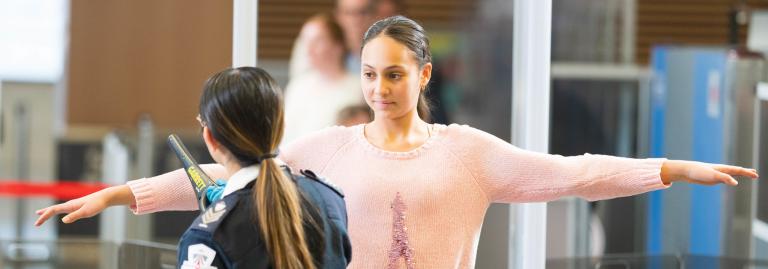
- A screening officer using a hand-wand device that detects metal objects.
- A partial or full physical search (pat-down) of your person
- A partial or full physical search of your carry-on bag
- Swabbing using explosive trace detection (ETD).
Step 4: Pick up your items
After you’ve walked through the scanner or the walk-through metal detector and everything has been cleared, head to the end of the screening line to collect your belongings. This part may happen quickly, so take a moment to make sure you’ve gathered all your items and everything you have belongs to you.
A few helpful reminders:
- Check the bins carefully to make sure nothing has been left behind. Double-check common-looking items like black jackets, black and grey cellphones, and grey laptops to make sure they are yours.
- Take your time. There’s no need to rush.
Once you’ve collected your things, stack your empty bins in the return area. And just like that, you’re through security.
You’re ready to fly
Security screening is designed to be straightforward and traveller-friendly. Whether you’re a first-time flyer or simply brushing up on the basics, a little preparation goes a long way. With these steps in mind, you’ll move through security screening with confidence.
What can I bring?
Does your item go in your carry-on or
checked baggage?
My CATSA Travel Checklist
Answer a few quick questions and get a personalized packing list that meets airport security rules.
If you can’t find your item in the search results, send us a message on social media or call 1-888-294-2202 (toll-free). We do our best to respond quickly, but we ask for up to 48 business hours to provide a response.